How to Build a Successful ecommerce Website (That Still Works in 2026)
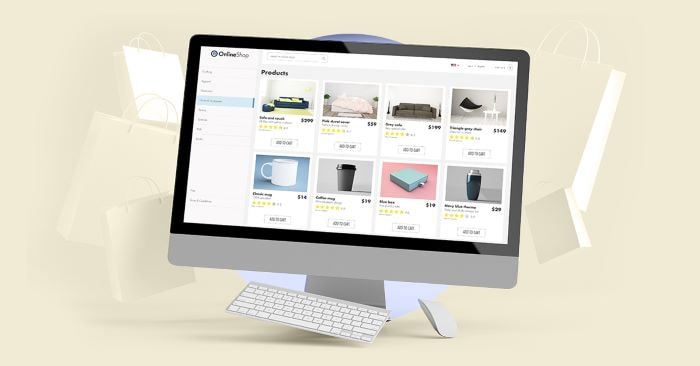
The eCommerce industry is evolving faster than most brands can keep up with. Shoppers now jump between social platforms, marketplaces and mobile devices long before they reach your product page. A strong store is no longer a digital brochure. It’s infrastructure.
Understanding how to build an eCommerce website today means creating a system that’s easy for customers to navigate, simple for your team to manage and flexible enough to grow with you.
Below is a refreshed, future-oriented guide that reflects how people really shop and how modern platforms actually work.
Start With Strategy Before You Start Building
What should you clarify before choosing a platform or design?
Before sketching a homepage or browsing templates, get clear on the fundamentals:
A bit of competitive research helps too. Look at:
This gives you a realistic foundation before you even think about design or features.
Choose the Best Place to Build Your Ecommerce Website
Which platform should you use to build your store?
Your choice of eCommerce website builders depends on your business model and your technical comfort level. Here’s the simplified, future-proof landscape:
Shopify – Best for fast setup and scaling
Perfect for brands that want to launch quickly and grow into advanced tools later. Massive app ecosystem, strong omnichannel capabilities, built-in AI features and reliable performance.
Wix – Best for full business sites + stores
Ideal if your store is part of a broader website. Strong design tools, built-in marketing features and intuitive onboarding.
BigCommerce – Best for higher-volume sellers
Great for multi-channel selling and tax/shipping complexity. Better for brands that are already growing or operating B2B.
- Square Online – Best for retail or pop-ups
Perfect for shops with in-person and online operations. POS and ecommerce live in a single dashboard.
WooCommerce – Best for WordPress websites
Flexible, customizable and cost-efficient for WordPress users. Strong plugin ecosystem but requires more oversight.
When do you need Custom software development instead of a builder?
Most businesses start on Shopify, Wix or WooCommerce. But some grow out of those systems. If you need:
That’s when working with a Web development company becomes essential. With Custom software development, you get full control of your architecture while keeping a user-friendly front-end experience.
Understand the Cost to Build an Ecommerce Website
What influences the total cost of building an online store?
The cost to build an ecommerce website isn’t a single number. It depends on how much customization you need and how you plan to scale.
Here’s what typically affects your budget:
Platform fees
Most ecommerce platforms start around USD 30–40 per month, with higher tiers offering advanced tools and lower transaction fees.
Design and themes
Free themes work for simple stores, but premium themes (USD 100–400) or custom design adds polish and usability.
Development and setup
If your store requires tailored UX, custom features or integrations, expect project-based pricing from your designer or Web development company.
Payment processing
Usually 2–3% per transaction, depending on gateway (Stripe, PayPal, GCash, etc.).
Apps and add-ons
Email automation, review apps, loyalty programs, subscriptions—these add convenience but also monthly cost.
Hosting
If you’re on Shopify or Wix, hosting is built in. WooCommerce or custom-built platforms may require separate hosting plans.
What affects long-term ecommerce costs?
Budget not just for launch but for continuous improvement. It keeps your site functional and competitive.
Design a User-Friendly Ecommerce Website That Converts
What makes a store intuitive and trustworthy for shoppers?
A user-friendly e-commerce website gets two things right: clarity and confidence.
Focus on:
Great ecommerce design doesn’t have to be fancy. It just has to remove friction.
Add Features and Integrations That Support Your Sales Model
Which features should your ecommerce store have on day one?
Start with the essentials:
Add advanced features after launch, based on real customer behavior:
Good eCommerce is iterative. Launch simple, then scale intentionally.
Test, Launch and Maintain Your Store
What should you test before going live?
Walk through your store as if you’re a brand new customer:
Why ongoing maintenance matters
The e-commerce industry changes quickly. Platforms update features, buyer expectations shift and security risks evolve.
Maintenance keeps your store:
This is where partnering with an e-commerce agency becomes helpful, especially as your catalog or traffic grows.
Key Takeaway
A modern ecommerce website is not just a store. It’s a growth engine that supports marketing, fulfillment and customer experience.
If you want to build a store that ages well:
Selling online doesn’t have to feel complicated. It just has to be intentional—and built for how people shop today.